


IOTTIMER CLOCK - WHEN 2.0 Software Release Announcement
This release applies to the WHEN series clock, model CWT9S19. All users are welcome to upgrade and enjoy the new experience.
1. UI Enhancement
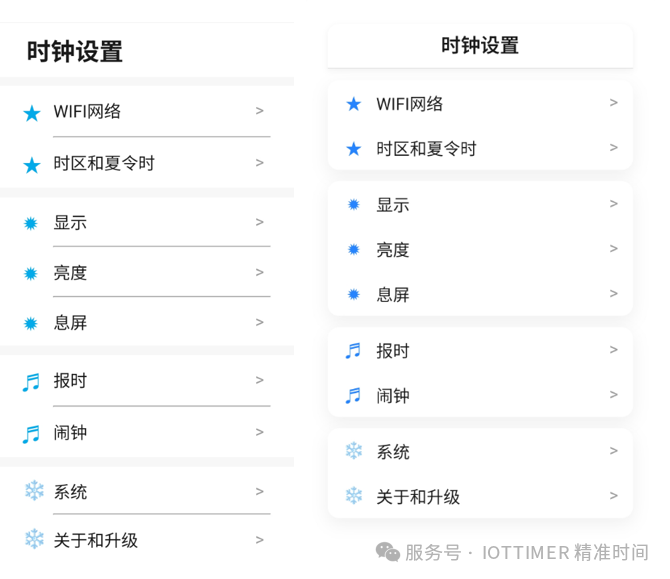
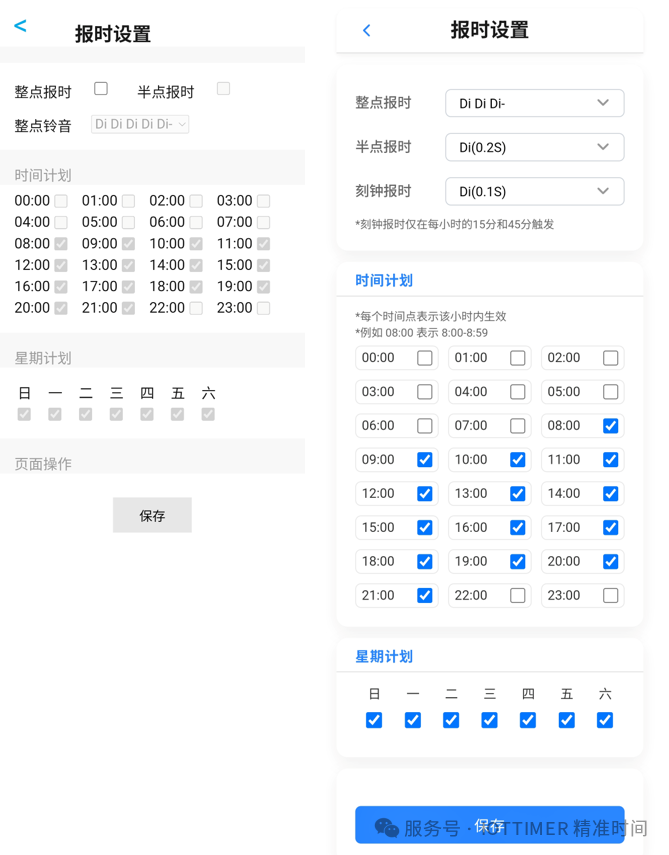
Based on user feedback about the previous UI design, we spent a few days redesigning the web management interface, optimizing both layout and display. This version offers a much better look and feel, using minimal custom CSS—no third-party UI libraries—and a major JavaScript refactor. On desktop browsers, the layout now keeps the mobile width instead of stretching full screen. Below are some comparison screenshots.
2. Secure Access Mechanism
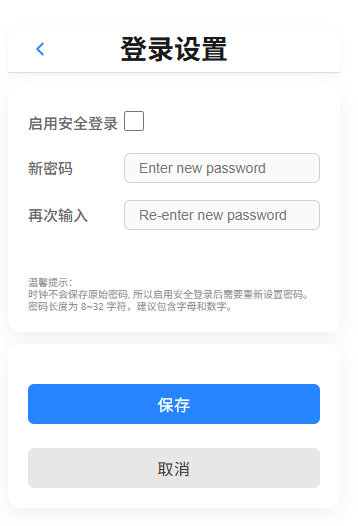
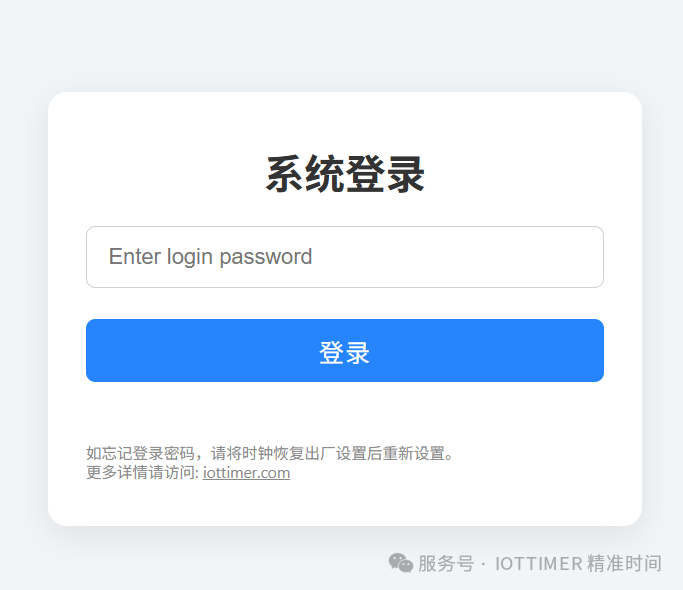
A password-protected access feature has been added. If enabled, you must enter a password to access the settings page. Cookie-based authentication is used, with a 6-hour session validity (no need to re-enter the password within 6 hours after login). Only single-user is supported; every device needs to log in separately.
This makes it possible for tech-savvy users to set up port forwarding or remote access services without security concerns. We plan to provide relevant tutorials later.
By default, authentication is disabled. You can enable it in [System] - [Secure Login Settings]. Please remember your password—the clock does not store the original password, so it cannot be recovered. If you forget it, you must reset the clock by pressing the hardware key and reconfigure all settings.
3. First-time Setup Options
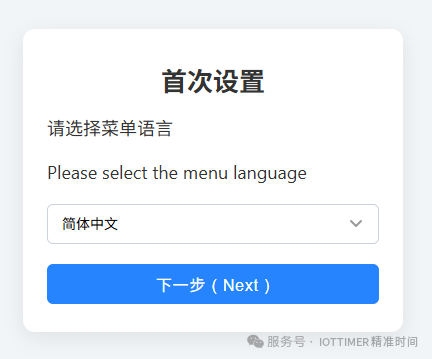
- When you first enter the settings UI, you will be required to select language and time zone, making it easier for overseas users.
- For domestic (Chinese) users, Chinese is the default and requires no changes.
4. Hourly Chime Feature Upgrade
- Added 100ms short beep alert.
- Added quarter-hour chime (triggers at 15 and 45 minutes).
- Half-hour and quarter-hour chimes can be set to beep or other sound options.
5. WiFi Setup Page Optimization
- WiFi list can now be refreshed during setup for more accurate status.
- You can instantly confirm network connection after clicking “connect”.
Note: Since AP mode is not enabled during normal use, please restart the clock after WiFi setup for stable operation.
6. Built-in Sensor Calibration
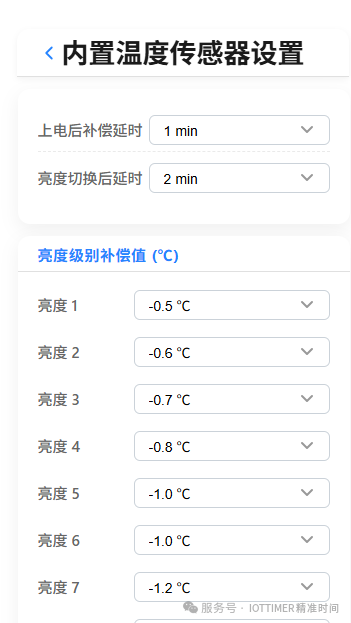
Based on user feedback, a sensor compensation settings page has been added. For the cause of temperature error and compensation methods, please refer to FAQ 14 and 20 on the product page.
Path: [System] - [Built-in Temperature Sensor Settings]
Note: The current compensation settings cannot cover all scenarios. Please set the compensation according to your environment. Suggestions for further improvement are always welcome.
7. Other New Features
- Sunday can now be displayed as “日”.
- Zone 3 adds an independent second display.
- The weather location UI now shows the last update time, making it easy to check data validity.
- Weather data update interval changed from 1 hour to 30 minutes.
8. Bug Fixes
- Fixed occasional weather data fetch failures.
- Fixed issues with automatic brightness adjustment.
Upgrade Instructions
To upgrade, please send your clock’s serial number to my email.
Future Plans
With some code optimization, despite new features, the firmware size is now over 16K smaller than before. Previously, storage was almost exhausted—now with 16K more, additional features can be added in the future.
The next focus will be on alarm functions, introducing various modes (such as reminder mode, Pomodoro mode, etc.). We will first implement these in the voice broadcast version, then port them to the WHEN clock.
If you are interested, feel free to send your suggestions. Practical feature requests will be prioritized!